IMEI blocks, stolen phones, overseas use and buying second-hand.
An unlocked phone should accept another network’s SIM, so why might it still refuse to connect? Blacklisting is one possible reason. It is a different restriction from a network lock, and modern smartphones add account locks and other theft protections to the mix. This guide explains what each one does, what to check when buying a used phone, and what to do if yours goes missing.
The most useful distinction to remember is this: unlocking lets a phone accept another network’s SIM; blacklisting tells a mobile network not to provide service to a particular handset. Removing one restriction does not remove the other.
What might a blocked phone show?
A network-service warning—not necessarily the word “blacklisted”.
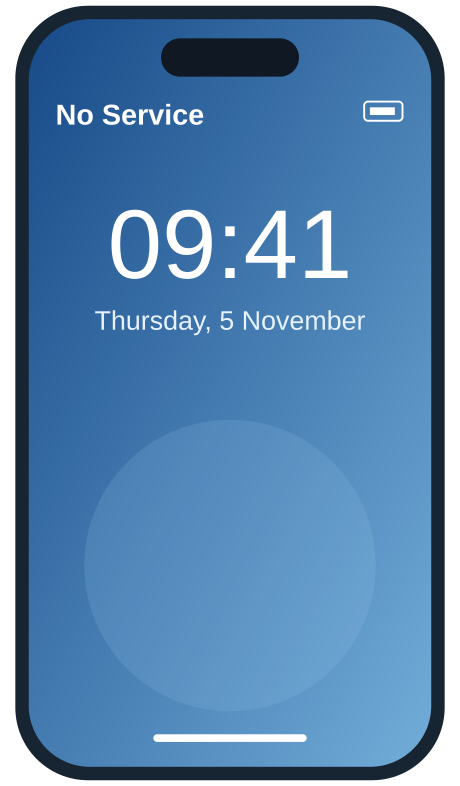 iPhone: “No Service”
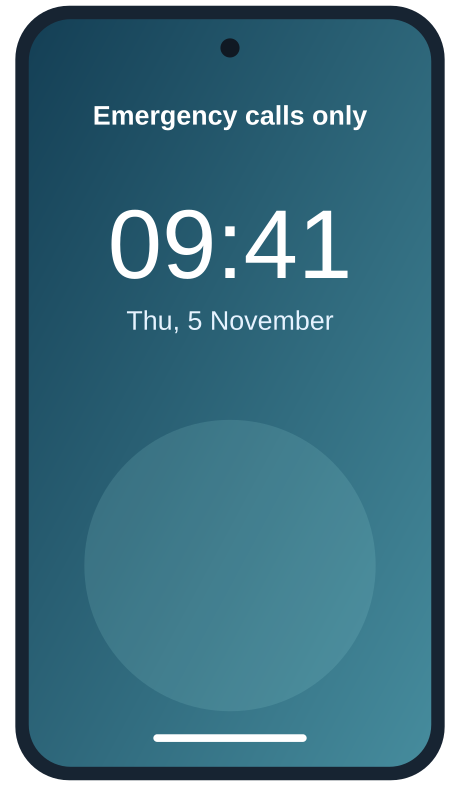 Android: “Emergency calls only”
What happens when you insert a SIM into a blacklisted phone?
Putting a working SIM into a blacklisted phone does not clear the block. If the network enforces it, the phone may recognise your SIM but still be unable to make normal calls or use mobile data. An eSIM works on the same principle: your subscription and the phone’s identity are separate. [6]
On an iPhone, a possible symptom is “No Service” or “Searching”. Apple explains that these messages mean the phone is not connected to a mobile network, and recommends asking your provider whether it is blocked or barred. The message alone does not tell you the cause. [17]
On Android, there is no single screen shared by every manufacturer. Samsung documents “Emergency calls only” and a “not registered on network” error. These can also result from coverage or SIM problems. The older “SIM card registration failed” message is therefore not a universal modern equivalent or a reliable diagnosis. [18] [19]
Ask the network to confirm the IMEI status. A service warning alone cannot distinguish a blacklisted handset from a faulty SIM, suspended account or network fault. It is also separate from the account-ownership checks shown during activation or setup.
What is a phone blacklist?
Mobile networks identify handsets using an IMEI: an International Mobile Equipment Identity number. It is normally 15 digits long and identifies the equipment, rather than your mobile number or subscription.
If a handset is reported lost or stolen, a network can block its IMEI. A flagged result does not always tell the whole story, though. Ask the provider why the block is there rather than assuming you know what happened. Operators share records through systems including the GSMA Device Registry. Participating networks can use those records to deny service to the handset. [1]
You can usually display the IMEI by entering *#06# in the phone dialler, or find it in device settings or on the original packaging. Some dual-SIM phones have two IMEIs. Record both and ask your provider which identifiers it needs when reporting a loss. An eSIM’s EID is a different identifier. [1] [2]
Are IMEI numbers really unique?
They are intended to be globally unique, rather than randomly chosen numbers. Under the allocation rules, the manufacturer uses a GSMA-issued Type Allocation Code (TAC) and assigns a different serial number to each unit within that range. The usual 15-digit IMEI contains an eight-digit TAC, a six-digit serial number and a check digit. Two correctly assigned identifiers should not collide simply because the phones were made by different brands or sold in different countries. [23] [24]
That is how the system is meant to work. In practice, copied identities can cause problems: GSMA recognises cloned and counterfeit IMEIs, where a device presents an identity that is not legitimately its own. This is different from a dual-SIM phone legitimately having two separate IMEIs. [25] [2]
Could blocking one IMEI affect more than one phone?
Yes, if different handsets present the same IMEI and the network blocks that identifier indiscriminately. Both could lose normal cellular service. The phones would not literally switch off, and an IMEI block would not itself erase them.
GSMA’s blocking guidance specifically tells operators to check their network for duplicate IMEIs before blocking and to avoid blocking known duplicates, to protect innocent subscribers. That is the recommended approach, although it does not mean every network will spot every duplicate. [6]
If your legitimately purchased phone is unexpectedly barred, ask your provider to investigate the IMEI and the reason for the block. Retain the receipt and packaging and compare their identifiers with those displayed by the phone. A duplicate is one possible explanation, not something to assume from a “No Service” warning. GSMA directs consumers disputing a blacklist entry to their wireless provider. [1]
Blacklisted, SIM-blocked or activation-locked?
| Restriction | What it means |
|---|---|
| SIM or account suspension | Your provider restricts your subscription, for example after a loss or because of unpaid bills. This is separate from blocking the handset’s IMEI. |
| Network lock | The handset accepts only permitted networks’ SIMs. This is the restriction normally meant by “phone unlocking”. |
| IMEI blacklist | The handset is denied cellular service by networks enforcing the block. |
| iPhone screen passcode | Protects access to the phone and its data. Recovering access after a forgotten passcode usually involves erasing the device; it does not automatically remove the other restrictions listed here. [34] |
| Apple Activation Lock | The device remains linked to its owner’s Apple Account, restricting unauthorised activation. |
| AppleCare theft-and-loss disabling | Apple says the original device is permanently disabled after an approved theft-and-loss claim, even if later recovered. [33] |
| Android device protection | After certain resets, setup requires the previous screen-lock credentials or a previously synced Google Account. |
These protections can operate together. Reporting a theft to your network and marking the device lost through Apple or Google address different risks. [3] [4] [5]
Forgotten iPhone passcode: will resetting it remove the locks?
A forgotten screen passcode is a different problem from a network lock or a blacklist. If your iPhone says “iPhone Unavailable” or “Security Lockout”, you may need to reset it to regain access. Apple provides recovery options itself; paying an unlocking service is not a requirement. [34] [35]
Before erasing anything, check one useful exception: on iOS 17 or later, if you changed your passcode within the last 72 hours, you may be able to use the previous passcode to set a new one. This depends on the feature still being available and the previous passcode not having been expired early. [36]
Otherwise, Apple’s recovery process normally erases the iPhone and lets you set it up again, either on the phone or with a computer. It does not reveal the forgotten code or recover the data already on the device. You can restore from an existing backup if you have one. Unlike the master-code approach used by some classic Nokias, this is a reset, not a replacement code calculated from the IMEI. [34] [35]
A reset phone can still stop at “iPhone Locked to Owner”. Activation Lock is a separate ownership check and can remain after erasure. Apple’s documented routes include the linked Apple Account credentials, the device passcode where offered, help from the previous owner, or an Activation Lock support request with proof of purchase. For a work or school device, contact its administrator. [4] [37]
Resetting the screen passcode also does not clear a network lock, an IMEI blacklist or AppleCare theft-and-loss disabling. When buying second-hand, check that the seller can remove their account and that the phone can complete activation. Seeing the “Hello” screen alone is not proof that every restriction has gone. For network unlocking and independent services, see Is unlocking your phone illegal?
Does blacklisting also apply to eSIM phones?
Yes — blacklisting applies whether a phone uses a physical SIM or an eSIM. The network blocks the handset’s IMEI, rather than the plastic SIM card or downloaded eSIM profile. Swapping a SIM or downloading a new eSIM does not remove a block on that IMEI. Suspending your SIM or eSIM subscription is a separate step that protects your number and mobile account. [1]
There is one detail worth knowing: dual-SIM phones can have two IMEI numbers, including modern iPhones and models that support eSIM. If your phone is lost or stolen, give your network both numbers and explicitly ask it to blacklist both IMEI and IMEI2. Ask for confirmation that both have been blocked, rather than assuming that reporting one automatically covers the other. [2]
Can a phone be blocked for unpaid bills?
Sometimes, but it is important to separate restrictions on your account from a block on the handset itself. They can have different causes and different remedies.
O2 and EE explain that unpaid bills can lead to restrictions or suspension of mobile services. That does not, by itself, mean the phone’s IMEI has been blacklisted or that it cannot work with another provider’s SIM. [30] [31]
Handset blocking can also arise in connection with unpaid device finance. In one Financial Ombudsman case, O2 disabled a handset in March 2025 after the customer made no initial repayments and fell three months into arrears. The Ombudsman considered the initial action fair in those particular circumstances and proposed reactivation after payment of the outstanding balance or agreement on an acceptable repayment plan. The decision describes the handset being disabled, but does not confirm whether this involved a shared IMEI blacklist. [32]
So there is no simple rule that every missed bill results in a blacklisted phone. The provider, agreement and circumstances matter. If you are buying second-hand, a phone working today is not a guarantee against a later block. If yours stops working, ask the provider to establish whether the problem is with the account or the device, and contact the seller if you bought it used. A block alone is not proof that a phone was stolen.
AppleCare theft-and-loss claims: another reason an iPhone may be disabled
There is another situation worth knowing about when buying a used iPhone. Apple says that an approved AppleCare theft-and-loss claim permanently disables the original device. Finding it afterwards does not make it usable again. This is a separate circumstance to distinguish from a network IMEI block or an owner’s Find My Activation Lock. [33]
A setup screen saying that an iPhone has been reported lost or stolen may be consistent with this, particularly if the seller says an insurance replacement was issued. However, a photograph alone cannot establish the cause, whether Activation Lock is also present, or whether networks have blacklisted its IMEI.
Does this apply to other insurance? Apple’s guidance describes its AppleCare theft-and-loss process, which uses third-party insurers, including AIG in the UK. We have not found public documentation establishing that unrelated bank, network or standalone phone insurers can request the same Apple disabling. Their involvement in a claim should not be treated as proof of this particular restriction. [33]
For buyers, “factory unlocked” or “no Apple Account attached” is not enough: ask whether the phone can actually complete setup. A device disabled after an approved AppleCare claim should not be bought on the assumption that removing Find My or changing the SIM will restore it.
Does blacklisting make a phone completely useless?
No. An IMEI block controls access to cellular networks. It does not, by itself, erase the handset, lock its screen or disable Wi-Fi. GSMA’s technical guidance explicitly separates cellular blocking from technologies such as Wi-Fi. [6]
A phone’s remaining usefulness depends on its other protections. A device with no effective screen or account lock may still have usable apps and offline functions. A phone protected by Activation Lock or Android reset protection presents a different obstacle to anyone trying to set it up as their own. [4] [5]
That is why “blacklisted” should not be understood as “my personal data is now safe”. Securing the device and your accounts remains essential.
Will a blacklisted phone work abroad?
There is no reliable worldwide yes-or-no answer. International sharing exists: the GSMA Device Registry is available to operators around the world, and GSMA encourages them to report and block stolen devices. However, sharing a record does not mean every network everywhere enforces it. [7]
So a phone blocked in the UK may also be blocked abroad—but there is no guaranteed worldwide shutdown. Our original article’s statement that a UK-blacklisted handset would work in every other country should therefore be read as historical commentary, not current buying advice.
Does selling phones unlocked make overseas resale easier?
It can remove one obstacle. Consider a stolen phone whose IMEI block is not enforced by a destination network. If the phone is network-unlocked, compatible with that network and free of an effective activation restriction, it may be able to use a local SIM. A handset still locked to its original UK network would normally reject that foreign SIM until the network lock was removed.
That helps explain why an unlocked phone could be easier to resell overseas. It does not, by itself, show that rules requiring unlocked phones have increased theft. A network lock also leaves the data untouched and does not stop a phone being dismantled for parts. It is one extra barrier, rather than a replacement for the owner’s account lock.
UK mobile providers have been prohibited from selling locked handsets since 17 December 2021. Ofcom introduced the change to make switching easier and remove the expense and difficulty customers faced when unlocking their own phones. Making it easier to change network is a benefit for customers; keeping stolen phones out of circulation still needs effective theft protection and cooperation between countries. [8]
London phone snatching: why stolen handsets still have value
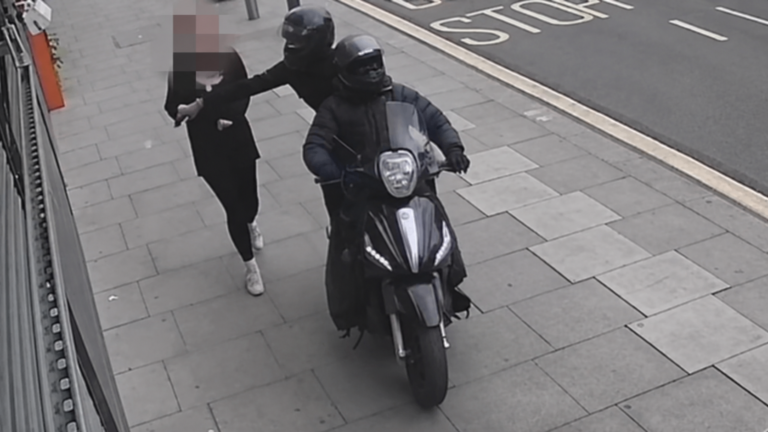
The reports of phones being snatched from pedestrians, including by riders on e-bikes, raise an obvious question: why steal a handset if its owner can block it? The answer is that criminals have several possible markets, while each security measure tackles only part of the problem.
The scale of this trade is striking. In September 2026, the Crown Prosecution Service reported sentences totalling 25 years for three men involved in a network believed to have exported around 40,000 stolen phones from the UK to China during 2024–25. Most of the seized phones were iPhones. Those numbers show that there is a market for stolen phones overseas. They do not tell us how many were successfully unlocked or put back into use. [20]
- Overseas resale. International IMEI sharing helps, but enforcement is not universal. Exporting a handset does not itself remove its blacklist entry or its owner’s activation lock. Whether it can be reused depends on the destination network and the device’s other protections. [7]
- Parts. The Metropolitan Police describes middlemen dismantling stolen phones for components. Apple now restricts calibration of selected parts linked to locked or lost devices on supported models, but this should not be read as a guarantee that every stolen component is worthless. [21] [22]
- Deceiving the owner. In October 2026 the Met reported criminals posing as trusted organisations to obtain victims’ passwords or account details, sometimes using threats. A supposed recovery message can therefore be part of the theft, rather than an offer of help. [21]
Can criminals remove Find My iPhone?
“FMIP removal” often refers to removing the owner’s Find My association and Activation Lock. A network unlock or IMEI-block removal does not achieve this, and a factory reset does not simply clear Activation Lock. There is no evidence in the sources cited here of a universal technical bypass for current iPhones. [4] [22]
There is a crucial difference between defeating a security system and persuading its owner to disable it. Apple warns owners not to remove a stolen iPhone from Find My, even after remote erasure: doing so removes Activation Lock and makes resale easier. Do not follow unsolicited messages asking you to sign in, disclose your passcode or remove the device. Use the official Find My service independently. [11]
These protections still matter, even though they have not ended phone theft. In its October 2026 update, the Met reported phone theft and robbery down by about a fifth in January–August compared with the same period in 2025. That is encouraging. It also reinforces why several protections need to work together. [21]
Can manufacturers do more to make phones less worth stealing?
It is a fair question: if Apple Activation Lock and Android’s device protection already restrict unauthorised reuse, what more are police asking for? The debate concerns how reliably the whole system removes a stolen phone’s resale value, including where protections were not enabled or an owner has been deceived into removing them.
In evidence to Parliament in May 2025, the Metropolitan Police proposed using owners’ stolen-device reports to restrict re-registration with Apple and Google cloud services. It also wanted security enabled by default and easier access to identifiers so officers could identify recovered phones. [26]
The proposed additional safeguard would use a device’s reported-stolen status to refuse new service registration worldwide. There is overlap with existing protection: Apple’s Activation Lock already involves its activation servers and survives erasure. The aim is therefore to close gaps in the existing system, rather than invent the first lock checked by a manufacturer’s servers. [22] [26]
There is still disagreement about what happens to stolen phones. The Met reported post-theft cloud connections in a sample of stolen devices; Apple disputed that a connection necessarily proved successful compromise or reuse. Equally, MPs challenged manufacturers’ claims that most stolen phones were destined for parts because the supporting evidence was insufficient. It would be too simple to say either that all the locks are being bypassed or that every stolen phone is stripped for parts. [26] [27]
By July 2026, a mayoral response described strengthened Apple security, sharing stolen-device identifiers with police, and changes by Samsung and Google. That shows progress, although it does not confirm that every part of the original proposal is now in place. [28]
Any stronger system also needs safeguards for legitimate owners: accurate reports, a way to resolve mistakes and fraud, and a proper process for recovered phones and lawful resale. The duplicate-IMEI problem is a useful reminder: stronger blocking also needs reliable identification, so an innocent owner does not lose service because another phone is using a copied identity.
How to check a second-hand phone
Before handing over your money, use a few checks together. A working SIM, a clean IMEI report and a successful factory reset each tell you something different.
- Check the handset’s actual IMEI. Compare the identifier shown by the phone with the seller’s information. Where it has two IMEIs, include both in your checks.
- Run a device-history check. A service such as CheckMEND can flag records available at the time of the check. Read what the report covers and keep a copy.
- Check account protection. Have the seller properly remove their account and prepare the device for sale. Complete setup before accepting it where practical. Do not rely on a promise that somebody will remove an activation lock later.
- Test cellular service. Check calls and mobile data with your intended network where possible. This tests present functionality, not future blacklist status.
- Keep evidence of the purchase. Retain the listing, seller’s details, receipt and payment records. Prefer a seller with clear returns arrangements and a payment method offering applicable buyer protection.
Apple specifically advises buyers to check for Activation Lock. Google explains that protected Android devices can require previous credentials after a reset. Neither issue is resolved simply by a clean IMEI report. [4] [5]
Can a phone pass a check and be blacklisted later?
Yes. CheckMEND expressly warns that a previous owner can report a phone lost or stolen after it has been sold. Think of a check as a snapshot of the records available at that moment, rather than a guarantee that nothing will change. [9]
If that happens, contact the seller and the provider involved. Keep the report and purchase evidence, and explore the seller’s returns process or any applicable payment dispute route. Suspected theft or fraud may also need to be reported to the police. A stranger’s promise of paid “unblacklisting” is not a substitute for resolving the underlying record.
Can a blacklist be removed legitimately?
Sometimes, yes. You might recover a lost phone, or discover that a report was made in error. GSMA directs consumers questioning a device’s status to their wireless provider, which can check the relevant account and activity. Resolution depends on the reason for the block and the organisation responsible for it. [1]
If you have claimed on insurance, check with the insurer before using a recovered phone. Vodafone’s published guidance says that a recovered device can be unblocked if no insurance claim was made, but that the block cannot be removed once an insurance replacement has been received. If insured through Vodafone, the recovered device must also be returned. Other providers and insurers have their own procedures, so check before attempting to reuse or sell a recovered phone. [10]
What to do if your phone is lost or stolen
- Contact your mobile provider promptly. Ask it to suspend the SIM or eSIM service and block the handset. Ofcom recommends reporting the loss as soon as possible, ideally within 24 hours. [3]
- Use Apple Find My or Google Find Hub. Mark the device lost or secure it, following the service’s instructions. Consider remote erasure if recovery is unlikely and protecting data requires it. [11] [12]
- Keep a stolen iPhone in Find My. Apple warns that removing it after erasure removes Activation Lock and makes it easier to resell. [11]
- Report theft and protect exposed accounts. Keep the IMEI and incident details for the police and insurer. If someone may have accessed your email, banking or passwords, secure those accounts from a trusted device. Do not attempt to confront someone at a tracked location. [13]
Modern protection: more than an IMEI block
Apple’s Stolen Device Protection adds biometric checks and, for some sensitive changes, a security delay. Activation Lock also extends to selected components on supported iPhones, reducing the usefulness of stolen parts. These are additional layers, not proof that theft has become impossible. [14]
Google offers features including Theft Detection Lock, Offline Device Lock and Remote Lock. Availability varies with the device and software, so check your phone’s settings before you need them. [15]
A note on IMEI changing and UK law
Changing a handset’s identity is different from removing an ordinary network lock. The Mobile Telephones (Re-programming) Act 2002 created offences concerning changes to, or interference with, device identifiers. Later legislation extended the offence to offering or agreeing to do this, or arranging for someone else to do it. Manufacturer-authorised exceptions exist. [16]
Has anyone been prosecuted for changing IMEIs?
Yes—there is official evidence of prosecutions and convictions in England and Wales. In a parliamentary answer dated 12 September 2005, the Home Office reported that its court statistics for 2003 recorded 11 defendants proceeded against and three found guilty in the category “Re-programming mobile telephone etc” under the Mobile Telephones (Re-programming) Act 2002. A separate category, covering possession or supply of items for reprogramming, recorded four defendants proceeded against and one found guilty. [29]
These figures were recorded on a principal-offence basis: they concern the main offence recorded for each defendant. They are historical figures for one year, not a current UK-wide total or a measure of how common IMEI tampering is today. They do show that the law has been used in court. Ordinary network unlocking remains a different activity.
For an incorrectly blocked phone, the legitimate approach is to correct the record through the responsible provider. This guide does not cover changing identifiers or bypassing theft protections.
Sources and further reading
- GSMA Device Check — IMEI, block-list status and disputes
- Google — IMEI 1, IMEI 2 and EID
- Ofcom — Lost or stolen phone
- Apple — Activation Lock
- Google — Help prevent others from using your device without permission
- GSMA — Device Blocking and Data Sharing Recommended Practice
- GSMA — Consumer protection and international device sharing
- Ofcom — Ban on mobile companies selling locked handsets
- CheckMEND — A phone blocked after purchase (used for the limitations of a check, not its older legal-procedure discussion)
- Vodafone — Lost, stolen and recovered devices
- Apple — Find a lost iPhone or iPad and keep Activation Lock enabled
- Google — Find, secure or erase a lost Android device
- Police.uk — Protect your phone
- Apple — Device and component theft protections
- Google — Theft protection features
- Mobile Telephones (Re-programming) Act 2002; Violent Crime Reduction Act 2006, section 62; official explanatory notes
- Apple — SOS, No Service or Searching on iPhone
- Samsung — Emergency calls only
- Samsung UK — Call functions and network-registration errors
- CPS — Stolen-phone smuggling convictions, 25 September 2026
- Metropolitan Police — Phone theft, parts and social engineering, 8 October 2026
- Apple Platform Security — Activation Lock and parts protection
- GSMA — TAC allocation and IMEI governing rules
- GSMA — IMEI structure and database
- GSMA — Reporting cloned and counterfeit TAC/IMEI identities
- Metropolitan Police — Written evidence on smartphone theft, 8 May 2025
- House of Commons committee — Cloud blocking and the evidence on stolen parts, 27 October 2025
- Mayor of London — Phone theft response, 22 July 2026
- Hansard — Home Office prosecution and conviction figures under the Mobile Telephones (Re-programming) Act 2002, England and Wales 2003; answer published 12 September 2005
- O2 — Adding and removing bars on your account
- EE — What should I do if I can’t pay my bill?
- Financial Ombudsman Service — Decision DRN-6053804: O2 handset finance and device blocking
- Apple Support — Help with Theft and Loss claims, including permanently disabled recovered devices
- Apple — Reset an iPhone and its forgotten passcode using a computer
- Apple — Reset a locked iPhone without a computer
- Apple — Use a previous passcode within 72 hours
- Apple — Remove Activation Lock and request support with proof of purchase